QuizSparrow Review: What It Does and What It Doesn't
A teal icon, an Auto-Solve button, a Target Score climbing on its own. That's the whole pitch in one screenshot. The honest version is longer, because the interesting part is where it stops.


What it is, in one paragraph
QuizSparrow is a browser extension for Norton InQuizitive. You install it, open an assigned activity and hit Auto-Solve, and it works through the question set: answering each item at full confidence until the Target Score is reached. Step-by-step explanations are available on any answer if you want them. It runs locally, reads only the questions already displayed, and never touches your Norton login or your gradebook.
That's the whole product. No dashboard to learn, nothing to configure, no automation running in the background once the activity is done.
The problem it's aimed at
Worth being precise, because it determines whether it's for you.
Your InQuizitive grade is the percentage of the Target Score your instructor set that you accumulate. Each question is worth 20 to 100 points, depending on where you set the confidence slider before answering. A wrong first answer costs points you can only half recover on the second attempt. Five correct in a row earns a bonus worth 5% of the target.
The consequence: on a 1,000-point target, maximum confidence gets you there in roughly 10 correct answers, and minimum confidence needs roughly 50. Uncertainty is a 5x time tax, and it compounds: wrong answers also make the engine feed you easier, lower-value questions, so the target recedes while you work.
QuizSparrow attacks exactly that. Not the clicking, the certainty. Full arithmetic in how InQuizitive is graded.
The first time I watched the Target Score climb on its own, what struck me wasn't the speed. It was that I could see why each answer was right, which is not something a flashcard deck ever gave me.
What it does well
Visual question types
Clicking a region of an image or map, dragging labels onto a diagram, ordering a sequence, clicking a specific span of a sentence: flashcard decks can't represent these at all, and typing them into a chat window is laborious. Reading the rendered question handles them natively.
Every Norton title
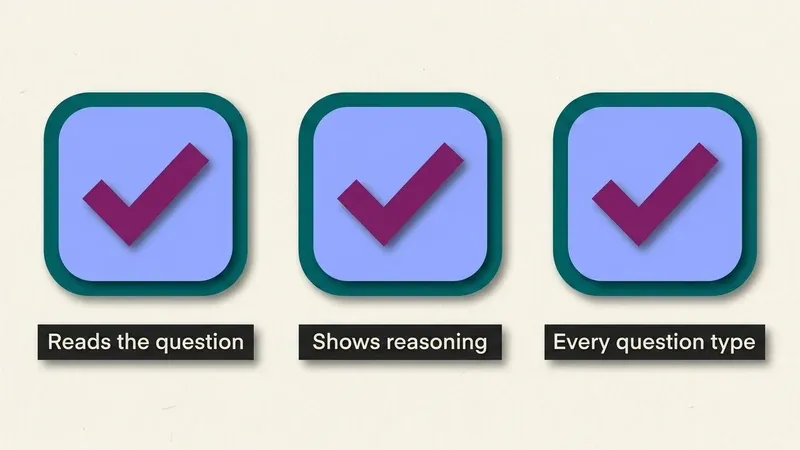
Because it reads your question rather than looking it up in a per-book list, the edition-matching problem that makes answer dumps useless doesn't arise. Writing modules, US history, sociology, psychology, American government, literature, biology: same behavior.
The explanations
Genuinely the feature that makes the rest work. A bare answer lets you click; a stated reason lets you set the slider to 100 with justification. It's also the part that's still useful when the exam arrives, which InQuizitive was supposed to be preparing you for.
Setup
About thirty seconds, nothing to configure. Low enough friction that it's not a project, and there's no dashboard tour standing between installing it and using it.
Where it falls short
It isn't always right. Nothing that reads a question is. Treat suggestions as strong starting points, read the reasoning, and commit when you agree, particularly since a wrong first answer costs points you only half get back. If you're clicking on autopilot you'll occasionally pay for it.
It doesn't do the reading for you. Clearing an activity is not the same as knowing the material, and InQuizitive is usually preparation for something with more weight on it. The explanations are there for exactly this reason, but they're optional and easy to skip, and students who skip them meet the same material cold on a midterm.
No hero animation yet. Small, but real: the product demo on our own site is currently a static frame rather than a recorded walkthrough. We'd rather say so than let you wonder why.
It's a subscription on top of a subscription. You still need Norton access, because the activity is assigned through Norton. QuizSparrow is an additional cost, and whether it's worth it depends entirely on how many hours you're currently losing per chapter.
Mistakes that undo the value
- Clicking through the explanation instead of reading it. Skipping the one part that transfers to the exam turns the tool into pure clearing.
- Treating every answer as final without a second look. It reads the question well, but it isn't infallible.
- Buying it for a single leftover activity. The subscription only pays off across a full term, not one chapter.
Who shouldn't buy it
We'd rather say this than take money from people it won't help.
If you have time to read the chapter. The reading is still the fastest route and it's already paid for. A prepared student clears the target quickly at high confidence and rarely triggers the spiral. See how to finish an activity faster.
If your bottleneck is clicking, not knowing. If you genuinely know the material and just resent the interface, an automation tool is the rational purchase, not this. We say the same in the answer-tools comparison.
If your course policy prohibits it. Read your syllabus. It governs your course and it outranks anything we write. There's no proctoring on InQuizitive, but "nothing is watching" and "this is allowed" are different questions, and only one of them is settled.
If you have one activity left this term. The maths doesn't work on a single chapter. It works on twelve.
Pricing
From $8.33/month on the yearly plan, with weekly, monthly and quarterly options. Nothing metered: no run quotas, no credits to top up, no 30-day windows to re-buy. Cancel anytime.
That structure is a deliberate contrast with the automation tools, which tend to sell 30-day access with a monthly run cap. If you're comparing, the honest framing is that theirs is cheaper for a single burst and ours is cheaper for a term. Details on the UnInquizitive alternative page.
What we're not
Independent study software, with no relationship to W. W. Norton & Company. InQuizitive is Norton's product and Norton's trademark. We don't supply Norton registration codes or access codes, we don't sign into your Norton account, and nothing here is reviewed or endorsed by Norton, your instructor, or your school.
We also don't simulate a working pace or randomize timestamps, because there's no monitoring on InQuizitive to hide from, and pretending otherwise would be selling you a solution to an invented problem.
The verdict
If you're losing two or three hours per chapter to an InQuizitive activity because you're hedging at 20 points a question, this fixes the actual cause and the arithmetic is compelling. If you're not, it isn't for you, and we'd rather you kept the money.
The setup walkthrough is in how to use QuizSparrow.
Frequently Asked Questions
Is QuizSparrow a full autosolver, or does it just suggest an answer?
It's a full autosolver. Auto-Solve works through the assigned activity on its own, answering each question at full confidence until your instructor's Target Score is reached. The step-by-step explanations are an optional extra you can open on any answer, not the main mechanism, and you can pause or stop the run whenever you like.
Does it work on every Norton InQuizitive course?
Yes. Each Norton textbook ships its own separate InQuizitive course, and QuizSparrow reads the question actually on your screen rather than matching it against a stored per-book list. That's why it behaves the same across writing modules, US history, sociology, psychology, American government, literature and biology sets.
Since InQuizitive isn't proctored, is using QuizSparrow against the rules?
InQuizitive genuinely has no proctoring: no webcam check, no lockdown browser, no screen or tab monitoring. That answers whether anyone is watching, not whether your course allows it. Those are separate questions, and only your syllabus and your instructor settle the second one.
What happens if QuizSparrow gets a question wrong?
It's usually right, but not infallible, which is why the explanation is worth a glance rather than a blind click. If a wrong answer slips through on the first attempt, InQuizitive's own scoring costs you points at your confidence-slider rate and only lets you recover half of them on the retry, the same as if you'd answered it yourself.