The Best InQuizitive Study Tools in 2026 (Honest Comparison)
Flashcard decks for a different edition. A tutor you can see once a week. A chat window you have to feed by hand. Search for InQuizitive help and five kinds of option turn up, and they help with very different things.

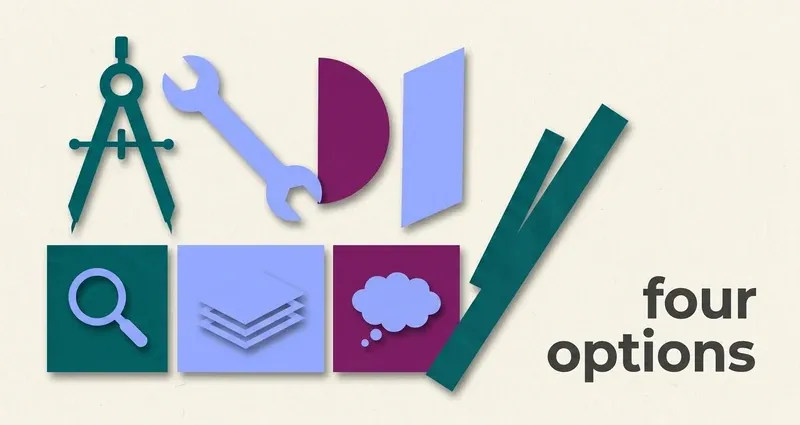
Five options, and they help with different things
The options split cleanly, and knowing which one you're looking at saves a lot of disappointment.
The textbook itself
What InQuizitive is calibrated against, and already linked into the activity.
Flashcard decks
Someone else's transcription, usually of a different edition.
Tutoring and study groups
The best explanations there are, on someone else's schedule.
General AI chat tools
Capable explainers, but you do all the transcription work by hand.
Explanation extensions
Work from the question you actually have, in your course, as you study.
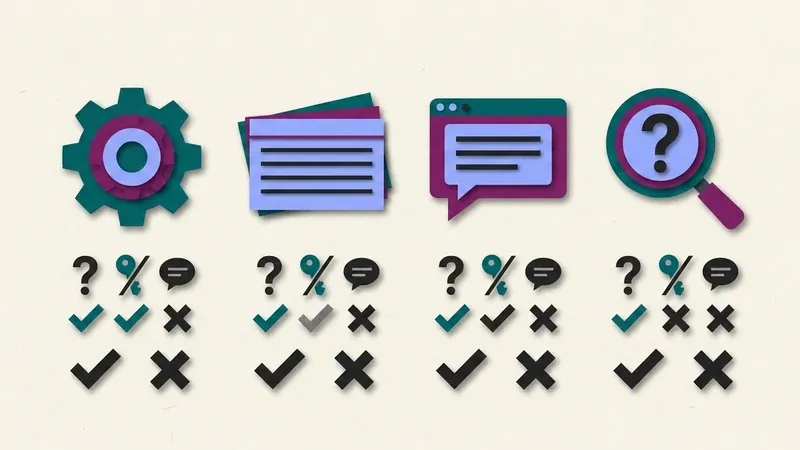
Line them up against three questions, does it work from your question, does it depend on someone else's transcription, does it explain the reasoning, and the picture clarifies. Let's take them in turn, then the honest disclosure.
1. The textbook
What it is: the Norton ebook your course adopted. InQuizitive is written against its chapters, and Norton links it into the activity, including from the Take a Break screen after five wrong in a row.
Where it's good: it's the source the questions come from, it's already paid for, and using it is the intended workflow, as we cover in can you use your textbook on InQuizitive.
Where it falls down: time. Reading a chapter properly can take longer than the activity, and when you're stuck on one specific question, finding the right paragraph is not always obvious.
Verdict: the best option if you have the time. Keep it open whatever else you use.
2. Flashcard decks
What they are: Quizlet decks, Course Hero and CourseSidekick uploads, and forum threads. Someone transcribed some InQuizitive questions and posted them.
Why they mostly fail here, and it's structural rather than a matter of finding a better deck:
- Every Norton title has its own InQuizitive course. Dozens of titles, each with editions. The deck you find is usually from a different book or a different edition, with drifted wording and reordered options.
- The course is much larger than your session. A single course can carry well over a thousand questions, and you'll see a fraction, chosen adaptively.
- The sequence is adaptive. Two students in the same course on the same night see different questions in a different order, so there's no "chapter 8 in order" to follow.
- Half the question types can't be transcribed. Click the region of this map, drag these into order, click the broken clause of this sentence: none of that survives as text on a card.
We go into this at length in why InQuizitive has no answer key.
Verdict: a deck you make yourself, from your own chapter, is a decent review tool. Someone else's deck for a different edition teaches you very little and is wrong often enough to cost you points you only half get back.
3. Tutoring and study groups
What they are: your campus tutoring center, office hours, a TA, or classmates working through the same chapter.
Where they're good: nothing beats a person who can see where your understanding breaks and explain it a different way. If one concept keeps tripping you up across activities, this is the fix.
Where they fall down: availability. InQuizitive tends to happen the night before it's due, and office hours don't.
Verdict: excellent for the concept you keep missing. Not something you can lean on question by question at ten at night.
4. General AI chat tools
What they are: ChatGPT, Claude, Gemini and the rest, used by hand. You read the question, type or screenshot it into a chat window, read the explanation, come back.
Where they're good: genuinely strong on explanation. If you want a concept unpacked, they're patient and available at any hour.
Where they fall down on InQuizitive specifically: the transcription tax. Every question means a context switch, and the visual question types, labeling a diagram, clicking the region of a map, clicking the span of a sentence, are laborious to convey and easy to garble.
Verdict: an excellent study partner for concepts. A clumsy fit for working question by question.
5. Explanation extensions, including ours
What they are: browser extensions that work from the InQuizitive question you're on and explain it as you study.
This is the category QuizSparrow is in, so treat the rest of this section as interested rather than neutral. Here's what we'd want you to weigh.
The structural advantage is that working from your question sidesteps the edition-matching problem entirely. It works on your course by construction, whichever Norton title you were assigned, and it handles the visual question types that neither a flashcard deck nor a chat window can: the maps, the diagram labels, the sentence spans.
The thing that makes it fit the scoring is the reasoning. That's not a courtesy feature. The whole scoring problem is that a hedged correct response earns 20 points where a confident one earns 100, and you can only hedge your way to a target slowly. Understanding why is what lets you push the slider to 100 honestly. A bare letter doesn't.
What it isn't: an answer key or a substitute for understanding. Nothing that reads a question is right every time, and a wrong first attempt costs you real points, so read the reasoning and check it against the chapter rather than clicking without thinking.
Pricing: from $8.33/month on the yearly plan, with weekly and monthly options, nothing metered, cancel anytime. If you're weighing it against UnInquizitive, the comparison is on the UnInquizitive alternative page.
Red flags when you're picking a tool
Watch for these before you buy
- Big promises with no mention of your course or edition. That's usually a flashcard deck in a nicer wrapper.
- No explanations. If it can't tell you why, it isn't helping you learn anything, and it can't help you set the slider honestly.
- No free look at how it actually handles a question. Anything worth paying for should be willing to show you, not just tell you.
How to pick
- You want to understand one concept properly? A tutor, a study group, or a general AI chat tool.
- You have time to read the chapter? Do that. It's still the best route, and it's free. See InQuizitive pacing tips for why.
- You keep getting stuck question by question and hedging at 20? That's the explanation-extension category, and it's what we built.
- You want something to review before an exam? Make your own flashcards from your own chapter.
Whatever you pick, your instructor's course policy governs your course. Read it, it outranks every comparison on this page.
Frequently Asked Questions
Is there an InQuizitive answer key any of these tools are secretly using?
No. Every Norton title has its own course, the question bank is far bigger than any one session, and the questions are served adaptively, so there was never a single shared list to draw from. See why there's no answer key for the full mechanics.
What's the difference between a flashcard deck and an explanation extension?
A flashcard deck is a fixed list someone transcribed, usually from a different edition. An explanation extension works from the question you actually have and walks you through the reasoning, which is what lets you raise the confidence slider instead of hedging.
Is UnInquizitive the same kind of tool as QuizSparrow?
They're different products with different approaches. QuizSparrow is built around explaining each question so you understand it. If you're choosing between them, the UnInquizitive alternative page lays out the comparison.
What's the actual cost difference between the options?
The textbook is already paid for, and flashcard sites and chat tools are often free but cost you transcription time. Tutoring is often free through your campus. Explanation extensions like QuizSparrow start around $8.33/month with nothing metered.