InQuizitive Answers: Why There's No Answer Key (And What Works)
Wrong-edition flashcard decks. PDFs for a different chapter. Forum threads asking the exact question you're stuck on. There's no InQuizitive answer key, and once you see why, the fix is obvious.

The short answer
There is no InQuizitive answer key. Not a hidden one, not a leaked one, not one behind a paywall on a homework site. The reason isn't that Norton guards it especially well. It's that the thing you're picturing doesn't exist in the first place.
That sounds like bad news. It's actually the most useful fact about InQuizitive you can learn, because once you understand why there's no key, the approach that does work becomes obvious.
Why an answer key can't exist
Three things about how InQuizitive is built make a universal answer list structurally impossible.
Every textbook has its own course. InQuizitive isn't one product with one question bank. W. W. Norton builds a separate InQuizitive course for each title it publishes, written against that book's chapters, examples and learning objectives. The course that ships with a US history survey has nothing in common with the one for a sociology text or the writing modules. There are dozens of these, and each has editions.
The question set is far bigger than what you'll see. A single course can carry well over a thousand questions. Norton describes one history title's course as having more than 1,300. You will never be shown all of them, because the activity stops when you've earned enough points, not when the bank runs dry. So even a complete list wouldn't map onto your session in order.
The questions are adaptive. InQuizitive picks your next question based on how you've been doing. Answer well and it gets harder; struggle and it gets easier, with extra questions on the objectives you're weakest on. Two students in the same course, on the same chapter, on the same night, see different questions in a different order.
Put those together and "the answer key for chapter 8" isn't a document someone has and won't share. It's a category error: there are dozens of separate courses, each with a question bank too large to show you in full, served to you in an order nobody else will ever see.
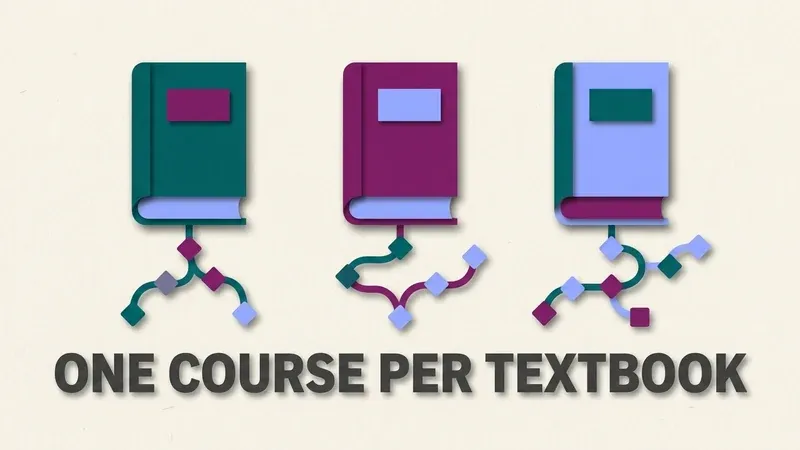
Ask for "the InQuizitive answer key" and what you're really asking for is a document nobody ever wrote, because there was never one shared course for it to belong to.
Why the decks you find are usually wrong
The flashcard sets that surface when you search are typically someone's transcription from a different title or a different edition of the book. The wording drifts, the options get reordered, and image or map questions can't be transcribed at all. Matching a half-remembered question against a list like that is slower than reading the question, and often wrong.
What InQuizitive gives you instead
Norton deliberately removed the escape hatch. There is no "I give up" and no "show me the answer" button anywhere in an InQuizitive activity. What you get instead is guided feedback: the moment you start down a wrong path, whether that's a click, a drag, or a keystroke, it corrects you, before the misunderstanding sets.
That's a real design choice, and it explains a lot about the experience. The system is built to keep you working a question until it's right. Which is pedagogically defensible and also why a single chapter activity can eat an entire evening.
What "getting answers" actually costs you
Here's the part most guides skip, and it's the part that matters to your grade.
Your InQuizitive grade is the percentage of the Target Score your instructor set that you've accumulated. Bank 500 points against a 1,000-point target and you have 50%. Every question is worth somewhere between 20 and 100 points, depending on where you set the confidence slider before answering.
Now the sting: if you get a question wrong on the first attempt, you lose points according to that confidence setting, and you can only ever regain half of them by answering correctly on the second attempt. Guessing isn't free. It's a permanent partial loss, repeated across every uncertain question in the activity.
So the students grinding away at 20-point confidence all night aren't being cautious. They're guaranteeing the activity takes five times as long as it needs to. We break the maths down properly in how InQuizitive is graded and what the confidence slider really costs you.
A worked example: two students, one activity
Numbers are abstract until you watch two students run the same 1,000-point activity side by side.
Student A hedges. Unsure of an answer, they set the confidence slider to 20 and guess. They're right maybe 60% of the time, wrong the rest. Every wrong guess costs points at the 20-point rate, and they only ever recover half of that on the retry. After forty questions they've crawled to somewhere around 480 points, less than half the target, and the activity has already eaten ninety minutes.
Student B reads first. They open the assigned chapter, or let something read the question and hand back the reasoning, before committing to a confidence level. Confident and correct, each question banks its full value, often 80 or 100 points, and every five-question streak adds a bonus worth 5% of the target on top. The same forty questions clear the target in under thirty.
Same activity, same number of questions, radically different evenings. The gap isn't luck. It's entirely the confidence slider, and it rewards knowing, not guessing.
What actually works
Given all of the above, there are exactly three approaches that hold up.
Read the chapter first
Boring, and genuinely the fastest route if you have the time. InQuizitive is calibrated against the reading, and Norton links the ebook directly into the activity. Using the textbook is allowed, it's the intended workflow, not a loophole.
Use the guided feedback deliberately
Since there's no reveal button, the feedback is the teaching mechanism. Slowing down on the first wrong attempt and reading what it tells you costs less than clicking through and losing points twice.
Read the question you actually have
This is the approach that scales, because it sidesteps the whole edition-matching problem. Anything that reads the question in front of you, rather than looking it up in a list written for someone else's book, works on your course by construction.
That third approach is the entire design principle behind QuizSparrow: it reads the question on your screen, suggests the answer, and shows you the reasoning in a line or two, so you can set the slider high with justification instead of hope. (For the reading-first route, see is using your textbook on InQuizitive cheating, it isn't.)
Mistakes that make it take longer than it should
Watch out for these
- Setting the slider to 20 out of habit, even on questions you actually know. This one habit alone is the single most expensive thing a student does on InQuizitive.
- Searching for a transcribed answer list instead of reading the question in front of you. It's slower than reading, and it's usually wrong anyway.
- Clicking through the feedback instead of reading it. The correction is the whole point of the format; skipping it just guarantees you'll repeat the mistake later in the same activity.
- Ignoring the Take a Break screen. Five wrong answers in a row is InQuizitive telling you to open the reading, not an obstacle to push through.
What about the tools that just click for you?
There's a category of InQuizitive tool that automates the clicking: auto-advancing, skipping the break screens, running in the background. Some of them state plainly that they provide no answers at all.
Worth thinking about what that means. Clicking faster while still guessing doesn't finish an activity sooner: you lose points at the same rate, you can still only half-recover them, and a run of wrong answers pushes you into easier, lower-value questions and eventually the Take a Break screen. You've automated the part that was never the bottleneck. We compare the two approaches directly on the UnInquizitive alternative page, and cover the wider landscape in the best InQuizitive answer tools.
The upshot
Stop looking for the key. It isn't hidden, it can't exist, because the course is per-textbook, the bank is bigger than your session, and the sequence is adaptive.
What you can do is stop paying the guessing tax. Know the answer before you commit it, wager the full hundred instead of hedging at twenty, and the activity ends when the target says it does, which, as we cover in how to finish an InQuizitive activity faster, can be a fraction of the questions you're currently answering.
Frequently Asked Questions
Is there really no InQuizitive answer key anywhere?
Correct. Every Norton textbook ships its own InQuizitive course, the question bank is larger than any single session, and the questions are served adaptively based on your performance. Those three facts together mean a single shared answer key was never possible, not that Norton is hiding one somewhere.
Why do the flashcard decks I find online never match my questions?
They're almost always transcribed from a different textbook or a different edition, since each Norton title has its own separate course. Image, map, and drag-and-drop questions also can't be transcribed into a flashcard format at all, which is why those decks feel close but rarely match what's actually on your screen.
Does guessing on InQuizitive actually hurt my grade?
Yes. A wrong first attempt costs you points based on your confidence slider setting, and you can only recover half of that loss on a correct second attempt. Repeated guessing compounds across the activity, which is why hedging at a low confidence level is slower, not safer.
What's the fastest legitimate way to finish an InQuizitive activity?
Know the answer before you commit to it. Reading the assigned chapter first is the most reliable route, and tools like QuizSparrow that read the question on your screen and explain the reasoning let you set the confidence slider high with justification instead of hope.