How to Finish an InQuizitive Activity Faster
A ten o'clock deadline. A confidence slider parked at twenty out of habit. A fourth Take a Break screen tonight. None of that is bad luck. It's a scoring system charging you for hedging.

Start here: it isn't a speed problem
The instinct when an activity is dragging is to click faster. That does almost nothing, and understanding why is the whole article.
InQuizitive doesn't end on a timer. It ends when you reach the Target Score your instructor set, or at the "Grades Accepted Until" deadline. Your grade is the percentage of that target you've accumulated.
So the question isn't "how do I answer more questions per minute." It's "how do I earn more points per question." Those are completely different problems, and only one of them has a good answer.
The arithmetic that decides your evening
Each question is worth 20 to 100 points, depending on where you set the confidence slider before answering. On a 1,000-point target, that range is the entire difference between a good evening and a bad one.
High confidence: ~10 answers
100 points a question. Target hit in ten.
Half confidence: ~20 answers
About 50 points a question. Roughly double the work.
Low confidence: ~50 answers
Only 20 points a question. Five times the work.
That's a 5× spread in evening length, from the slider alone. Two more rules compound it: a wrong first answer only half recovers on the second attempt, and five correct in a row earns a bonus worth 5% of the target. Everything below follows from those three facts.
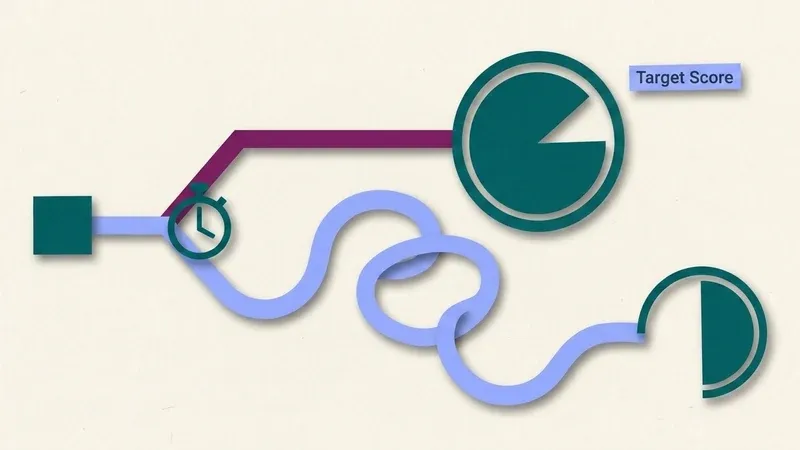
Every fix below moves you from the looping route to the direct one.
1. Find out your Target Score first
Thirty seconds, and it reframes the whole activity. You're not working through a question bank: a course can hold well over a thousand questions and you'll only ever see a fraction of it. You're banking points toward a number. Knowing the number tells you exactly how you're doing, instead of guessing at your progress question by question.
2. Stop hedging
The biggest single win, and the least intuitive. Sliding confidence down when you're unsure feels prudent; it's actually buying a smaller penalty on a loss you can already partly undo, in exchange for an 80% pay cut on every right answer.
If you're hedging on most of the activity, that's not a strategy, it's a symptom. Fix the certainty and the slider looks after itself. Full treatment in the confidence slider explained.
Hedging doesn't protect you from a wrong answer. It just guarantees the right ones pay less.
3. Keep the ebook open
Norton links the ebook into the activity, including from the Take a Break screen. Checking the chapter before you commit is the intended workflow, not cheating, and it's worth real points: it converts a hedged 20 into a confident 100 and protects your streak.
Two minutes in the chapter routinely saves fifteen minutes of clicking.
4. Protect your streaks
Five correct in a row is worth 5% of the target: 50 points on a 1,000-point activity, repeatable.
Practical consequence: at four correct in a row, a guess is much more expensive than it looks. It risks the question's points and the bonus. That's the moment to slow down, not speed up.
5. Read the feedback on a wrong first attempt
InQuizitive corrects you after every click, drag and keystroke, and there's no "show me the answer" button. The feedback is the only teaching mechanism available.
You're going to lose half those points regardless. Racing to the second attempt loses the same points and the understanding, which means you'll meet the same concept again later, because the engine deliberately sends you more questions on objectives you're weak on.
6. Stop the spiral early
Here's the mechanism that makes bad sessions catastrophically long rather than just slightly long.
Wrong answers make InQuizitive feed you easier questions. Easier questions are worth less. So a bad run doesn't only cost points: it lowers the value of everything you're about to be asked. The target recedes as you work. Then after five wrong in a row you get the Take a Break screen.
If you're in that spiral, take the ebook option. Pushing through is how ninety minutes becomes three hours.
7. Do the reading, if you have the time
Unfashionable, and genuinely the fastest route. InQuizitive is calibrated against the chapter; a student who's read it clears the target quickly at high confidence and rarely triggers the spiral. If the reading takes forty minutes and saves ninety, that's a good trade.
One thing that helps mechanically
Launch from your campus LMS if your course is integrated with it. It's not a speed trick: it's that grades report automatically, so you don't discover after two hours that your work never reached the gradebook because of a missing Student Set ID.
A worked example: one student, one evening
Before. Marcus opens a 1,000-point chemistry activity at 8:00 p.m. Ebook closed, slider parked at 20 to 30 out of habit, guessing when he could easily look something up. Target hit at 10:40 p.m., after 58 questions and two Take a Break screens.
After. Same course, same target, next chapter. He checks the Target Score first, keeps the ebook open, and maxes the slider whenever he's actually sure. Target hit at 8:47 p.m., after 23 questions, no Take a Break screen.
Same target, less than a third of the time. What changed was how much each answer was worth, not how fast he clicked.
Two things that don't work
Clicking faster. You lose points at the same rate. The bottleneck is points per question, not questions per minute.
Automating the clicking. There's a class of InQuizitive tool that auto-advances, skips the break screens and runs in the background, and some of them say outright that they provide no answers. Read that carefully: automated guessing is still guessing. You lose points at the same rate, only half-recover them, and you still get pushed into the easier-question spiral and the Take a Break screen. You've automated the part that was never slow.
Some of these tools also advertise pacing simulation and randomised timestamps, to make sessions look organically slow. Those defend against timing surveillance that InQuizitive doesn't have, a real cost against an imaginary threat. We compare the approaches on the UnInquizitive alternative page.
What actually collapses the activity
Every item above reduces to one thing: be certain, then say so on the slider.
That's what QuizSparrow is for. Point it at the question already on your screen (multiple choice, drag-and-drop, click-the-image, label-the-diagram, fill-in-the-blank) and one click works the activity toward your Target Score at full confidence, reasoning included. You're no longer hedging at 20 and hoping; you're banking 100, automatically.
On a 1,000-point target, that's roughly forty questions you don't have to sit through yourself. Which is the evening back.
Frequently Asked Questions
Does clicking through questions faster finish an InQuizitive activity sooner?
No. InQuizitive ends at the Target Score, not on a timer, so your clicking speed is irrelevant. What matters is how many points each answer is worth, set by the confidence slider.
Is there a way to skip a question I don't know on InQuizitive?
No. There's no "I give up" or "show me the answer" button anywhere in the activity. The only way through is guided feedback after you attempt it, which is why reading it beats clicking past it.
What's the single fastest legitimate way to finish an InQuizitive activity?
Know the answer before you commit to it: read the chapter first, or use something like QuizSparrow, which works the question at full confidence so you're banking 100 instead of hedging at 20.