InQuizitive Access Codes and Registration Codes, Explained
A card tucked inside a shrink-wrapped textbook. A ten-digit string your instructor emailed. A trial clock nobody told you was running. Three different things, one word: code. Here's which one is actually stopping you.

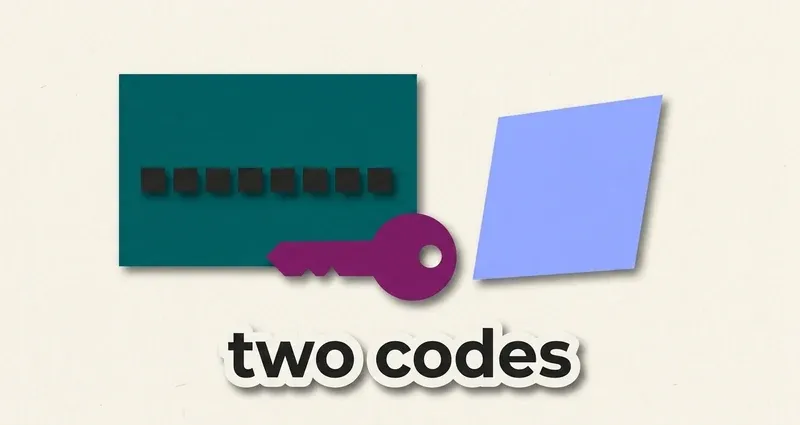
Two different codes, and that's the whole confusion
Almost every InQuizitive access problem comes down to this: there are two codes, they're both called something with "code" in it, and they do unrelated jobs.
A registration code gives you access to InQuizitive. Without it (or a purchase, or trial access) you can't use the product.
A Student Set ID attaches your grade to your instructor's course. It has nothing to do with access: you can have full access and still not be reporting to the right course, or vice versa.
A registration code opens the door. A Student Set ID tells the gradebook you walked through it. Confusing the two is the single most common support question InQuizitive students have.
If you're stuck, work out which one you're actually being asked for. Most of the time the answer to "my code isn't working" is that it's the wrong kind of code, entered into the wrong prompt.
Route 1: Trial access, for three weeks
New users get three weeks of trial access to Norton's products before any code or payment is required.
This is genuinely useful and under-publicised. It means:
- You can start a first assigned activity immediately, on day one of term, before your textbook arrives.
- If your course adopted a title you're still deciding whether to buy, you're not blocked.
- If financial aid or a bookstore order is slow, you have a three-week runway.
Two cautions. First, it's three weeks from when you start, not three weeks from the start of term, so don't burn it in week one and rediscover it in week eight when the clock has already run out. Second, when it expires you'll be prompted for a registration code or a purchase, and your work to date carries over once you've entered one, so nothing you've already banked is lost.
Route 2: The code in a new textbook
An InQuizitive registration code comes free with new copies of select Norton textbooks.
Three words in that sentence do a lot of work:
- New. A used copy's code has almost certainly been redeemed already. Codes are single-use. This is the main reason buying used Norton titles for a course that assigns InQuizitive can be a false economy.
- Select. Not every Norton title bundles one. Check the specific edition your course adopted.
- Free. If your book came with a code, you already have access and don't need to buy anything.
Where to look: a card, sealed sleeve or printed panel inside the front cover or shrink-wrap. If your book is sealed and you're not sure whether to open it, opening it is generally what forfeits returnability, so it's worth checking your bookstore's policy before you do.
Before you buy access separately
Check three things first: whether you still have trial access left, whether your new book came with a code you haven't found, and whether the ebook you may already have bought includes InQuizitive. Students routinely buy access they already own.
Route 3: Buying access directly
You can purchase InQuizitive access from Norton without a physical book.
Note one thing that saves money: buying the ebook includes InQuizitive. If you were going to get a digital copy of the text anyway, that's usually the better-value path than buying the two separately.
Prices vary by title, edition and bundle, and Norton doesn't publish one figure across the range, so we won't invent one here. Check the page for your specific title before assuming a classmate's price applies to yours. More on the cost side in how much InQuizitive costs.
About "free InQuizitive registration code"
This is a heavily searched phrase and it deserves a straight answer rather than a coy one.
Codes are single-use and tied to a title. A code posted publicly has been redeemed, that's why it was posted in the first place. Sites offering "free codes" are, in the generous reading, listing dead codes that will bounce the moment you try them, and in the ungenerous reading, collecting your details in exchange for a code that never works.
The genuinely free routes are the real ones: your three weeks of trial access, and the code that ships with a new copy of a title that bundles one. If neither applies, there's no third door, no matter how many forum posts and file-sharing sites claim otherwise.
The Student Set ID
Different job entirely. The Student Set ID connects your InQuizitive work to your instructor's gradebook, and it works through one of two routes into the activity.
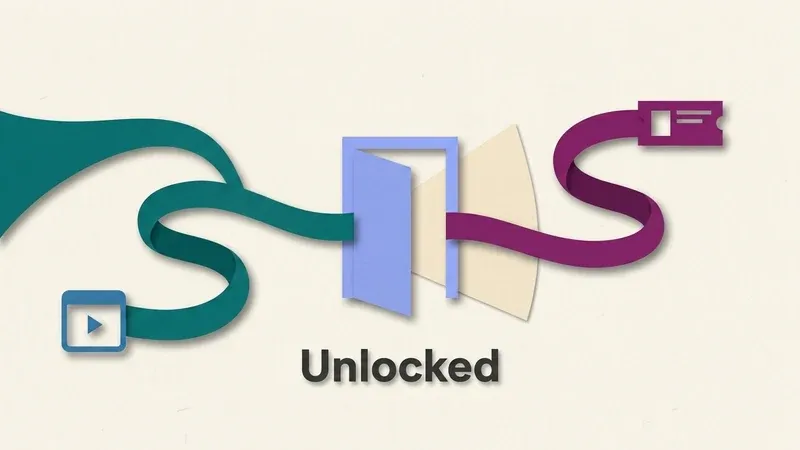
Course is LMS-integrated
If your course is integrated with your campus LMS (Blackboard, Moodle, Canvas, D2L), you don't need a Student Set ID at all. Launch the activity from inside your LMS and grades report back automatically.
Course isn't integrated
Your instructor gives you an ID directly. Enter it the first time you're prompted to, or later from the account menu if you skipped it initially.
InQuizitive isn't graded
If your instructor isn't reporting InQuizitive scores at all, you don't need a Student Set ID, or any Set ID, regardless of which of the other two situations applies to your course.
The failure mode worth knowing: doing an entire activity without an ID, or launching outside your LMS when your course expects LTI, means your score may not land in the gradebook. If your grade is missing after you definitely did the work, this is nearly always why. Check with your instructor rather than redoing the activity from scratch.
Mistakes that cost people access, not points
- Entering the wrong Student Set ID, often a leftover one copied from a previous term's course, which silently reports your grade to the wrong section.
- Assuming you need a Set ID when your instructor isn't grading InQuizitive at all, and stalling out on a prompt that a "skip" or "not now" option would have cleared.
- Letting the three-week trial expire mid-activity without checking, so the clock runs out between sessions rather than during one and locks you out until a code is entered.
- Opening InQuizitive outside the LMS launch link on a course that expects LTI, which produces a completed activity with no grade attached anywhere.
Frequently Asked Questions
It says my trial has expired. What now?
You've used your three weeks. Enter a registration code or purchase access, and your existing work carries over automatically once you do, so nothing you've already completed needs to be redone.
My code says it's already been used. Why?
Almost certainly a used book. Registration codes are single-use, and a previous owner redeemed it before you got the book. Contact the seller about a refund, or buy access directly instead of waiting on a resolution.
I have access but no grade is showing. What's wrong?
That's the Student Set ID or the LMS launch path, not access itself. You can be fully logged in and working through questions correctly while your score sits unattached to any course. Ask your instructor which route your course expects.
It's asking for a Set ID and I don't have one. What do I do?
Either your instructor hasn't issued one yet, or your course is LMS-integrated and you've opened InQuizitive outside your LMS by mistake. Go back and launch the activity from inside the course rather than from a bookmarked link.
I bought the ebook. Do I need to buy InQuizitive too?
Usually not. Ebook purchases include InQuizitive access, so buying both separately is typically paying twice for the same thing.
Once you're in
The access maze is the boring part. What actually determines your evening is the scoring: your grade is the percentage of a Target Score you accumulate, each question is worth 20 to 100 points depending on your confidence setting, and a wrong first answer only half recovers.
Start with how InQuizitive works for the mechanics, or how to use InQuizitive for the walkthrough. And if you'd rather not spend the evening guessing, QuizSparrow reads the question on your screen and gives you the answer with the reasoning attached.
To be clear about what we are
QuizSparrow is an independent study extension. We don't supply Norton registration codes, access codes or Student Set IDs, and we have no relationship with W. W. Norton. This section is here because students searching for access help deserve accurate information about it.