Does InQuizitive Detect Cheating? What It Can Actually See
No webcam. No lockdown browser. No screen recording. There's no InQuizitive surveillance layer, and once you see what it actually reports to your instructor, the anxiety mostly evaporates.

The short answer
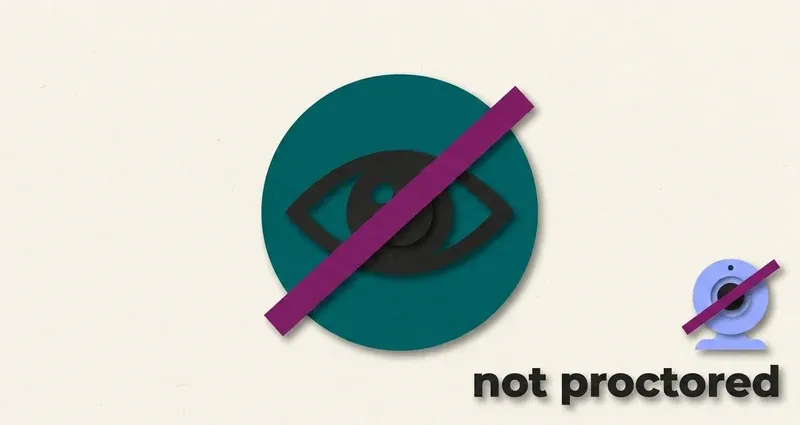
InQuizitive is not proctored, and it has no cheating-detection system.
There is no webcam requirement. No lockdown browser. No screen recording. No identity check. Nothing in Norton's student documentation describes tab monitoring, window monitoring or focus tracking. It's an ordinary web page running in an ordinary browser tab.
That's the whole answer to the question. But the interesting part is why it's built that way, and what that tells you about approaching the tool.
InQuizitive was never built to watch you work. It was built to grade the work, and those are two different jobs.
Why there's nothing to detect
InQuizitive isn't an exam. It's formative practice, low-stakes questions tied to the reading, designed to help material stick and to report a score to your instructor. Norton built it as a study tool, and study tools don't get proctoring.
Look at the design and the intent is unmistakable:
- It links the ebook into the activity, including from the Take a Break screen you get after five wrong answers in a row. It wants you looking things up.
- It has no "show me the answer" button and no way to skip a question, because it's trying to get you to the right answer, not to catch you out.
- It gives you feedback after every click, drag and keystroke, correcting you before a misunderstanding sets.
- A wrong first attempt is half-recoverable on the second. It's forgiving by construction.
None of that is the architecture of an assessment. It's the architecture of practice. There's no proctoring because proctoring would defeat the point.
Not the same as your actual exam
This is specifically about InQuizitive. Your course's midterms and finals may well be proctored, may use a lockdown browser, and may sit on an entirely different platform. Don't generalise from one to the other.
What your instructor actually sees
Two things, as far as Norton's documentation goes.
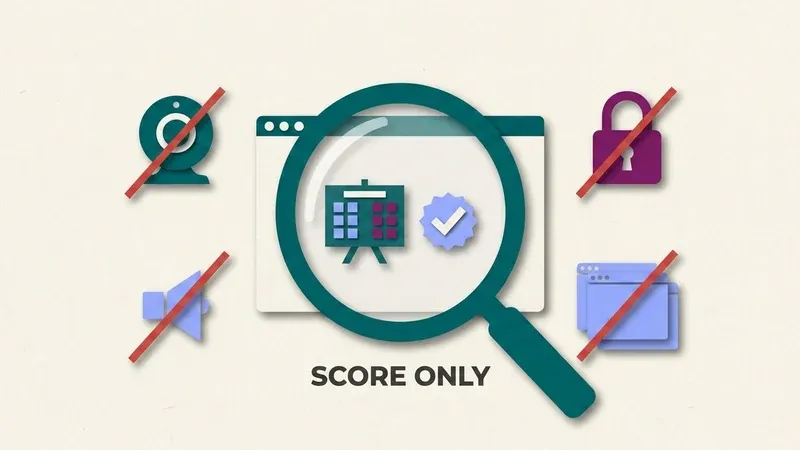
Your score. If your course is integrated with the campus LMS, your InQuizitive grade reports into the gradebook automatically. If it isn't, the Student Set ID you entered is what attaches your score to the course.
Activity reports. Instructors can view reports on activity, and you can see your own, from the Take a Break screen among other places.
Beyond that, Norton's student-facing documentation simply doesn't describe what granularity instructors get. We're not going to invent a claim in either direction. What's clear is that the reported artefact is your performance, not a recording of your session.
What it cannot see
Because InQuizitive runs as a normal web page, a fixed set of things sit outside its reach entirely. This isn't a clever exploit; it's how browsers isolate every website you visit, and it applies to InQuizitive like everything else.
Other tabs, windows or apps
A web page can't see them, no matter how many you have open.
Your screen or another device
No second monitor, phone or other device is visible to an InQuizitive activity.
Your camera or microphone
Nothing in InQuizitive requests them, so there's nothing to record.
Browser extensions on your machine
What runs alongside the page in your browser stays invisible to it.
More on the tabs question specifically in does InQuizitive track your tabs.
So is using a study tool cheating?
Here's where we'll be straight with you rather than convenient.
"Will I get caught" and "is this allowed" are different questions, and the answer to the first doesn't settle the second. There is no proctoring on InQuizitive, so nothing is watching. That means the only thing governing how you use a study aid is your instructor's course policy, and that varies genuinely, course to course.
So read your syllabus. If it addresses outside resources or study tools, that's your answer and it outranks anything on this page.
What we'd argue is defensible: using something that helps you understand faster is different from using something that helps you submit without understanding. That's why QuizSparrow attaches the reasoning to every suggestion rather than just handing over a letter. Read the reason, agree with it, and you've done the thing InQuizitive was built to make you do, just in less time.
And on the related question students search for constantly: no, consulting your textbook on InQuizitive isn't cheating. Norton builds the link in.
Why the tools that fake a "natural pace" are solving nothing
There's a category of InQuizitive tool that advertises pacing simulation and randomised completion timestamps, features designed to make your session look organically slow.
Think about what those defend against. They defend against timing surveillance. InQuizitive doesn't have timing surveillance. Norton documents no such thing, and there's no proctoring layer to feed it. Those features are answering a threat that doesn't exist, and they cost you real time to do it.
Meanwhile the actual problem, that the activity is long and guessing makes it longer, goes untouched. We compare the two approaches on the UnInquizitive alternative page.
Myths about InQuizitive and cheating
- "Something is secretly recording my session." Nothing in InQuizitive requests your camera or microphone, and Norton's documentation describes no screen recording of any kind.
- "The Take a Break screen is a strike against me." It's an interruption after five wrong answers, offering the ebook or your report. It isn't logged as an event separate from your score.
- "No proctoring means nothing governs how I use InQuizitive." Your instructor's syllabus still applies. InQuizitive not watching you is a separate fact from your course's academic integrity policy.
The genuinely useful takeaway
Stop asking whether InQuizitive will catch you and start asking why it takes so long, because that's the real problem and it has a real answer.
Your grade is the percentage of the Target Score you accumulate. Each question is worth 20 to 100 points depending on your confidence setting, a wrong first answer only half-recovers, and five correct in a row earns a bonus worth 5% of the target. Nothing there is about detection. It's all about certainty.
Get certain and the activity collapses to a fraction of its length. That's covered in how InQuizitive is graded and how to finish an activity faster.
Frequently Asked Questions
Does InQuizitive require a webcam or lockdown browser?
No. Norton's student documentation describes no webcam requirement, no lockdown browser, no screen recording and no identity check. It runs as an ordinary web page in an ordinary browser tab.
Can my instructor see which tabs or windows I had open?
No. Nothing in InQuizitive's documentation describes tab, window or focus monitoring. Your instructor sees your score and activity reports, not a record of your browser.
Does the Take a Break screen count against me?
No. It appears after five wrong answers in a row and offers the ebook, your activity report, or a return to the questions. It's a nudge toward the reading, not a flagged incident.
Will using QuizSparrow's suggestions get flagged as cheating?
InQuizitive reports only your score and activity data to your instructor, not which tool or resource helped you reach an answer. Whether a study aid is allowed is governed by your instructor's syllabus, not by anything InQuizitive itself detects.